Skip to content
Jay's Lab
Jay's Lab
  • About

Teams’ Call Queues and Auto Attendants – Assigning the License to the Resource Account

Auto Attendants, Call Queue, Call Queues and Auto Attendants, Direct Routing, Teams / August 18, 2023 August 18, 2023

Why do we need to assign this license?

Each resource account requires a license to make it work with auto attendants and call queues. Instead of using a paid regular account, a special type of license named “Microsoft Teams Phone Resource Account” is created for this purpose and you can acquire it for free (explain in a previous article in this series)

The following steps show how to assign this license to the Resource Account (it is simply like assigning any other type of license)

Go to the “Microsoft 365 admin center”
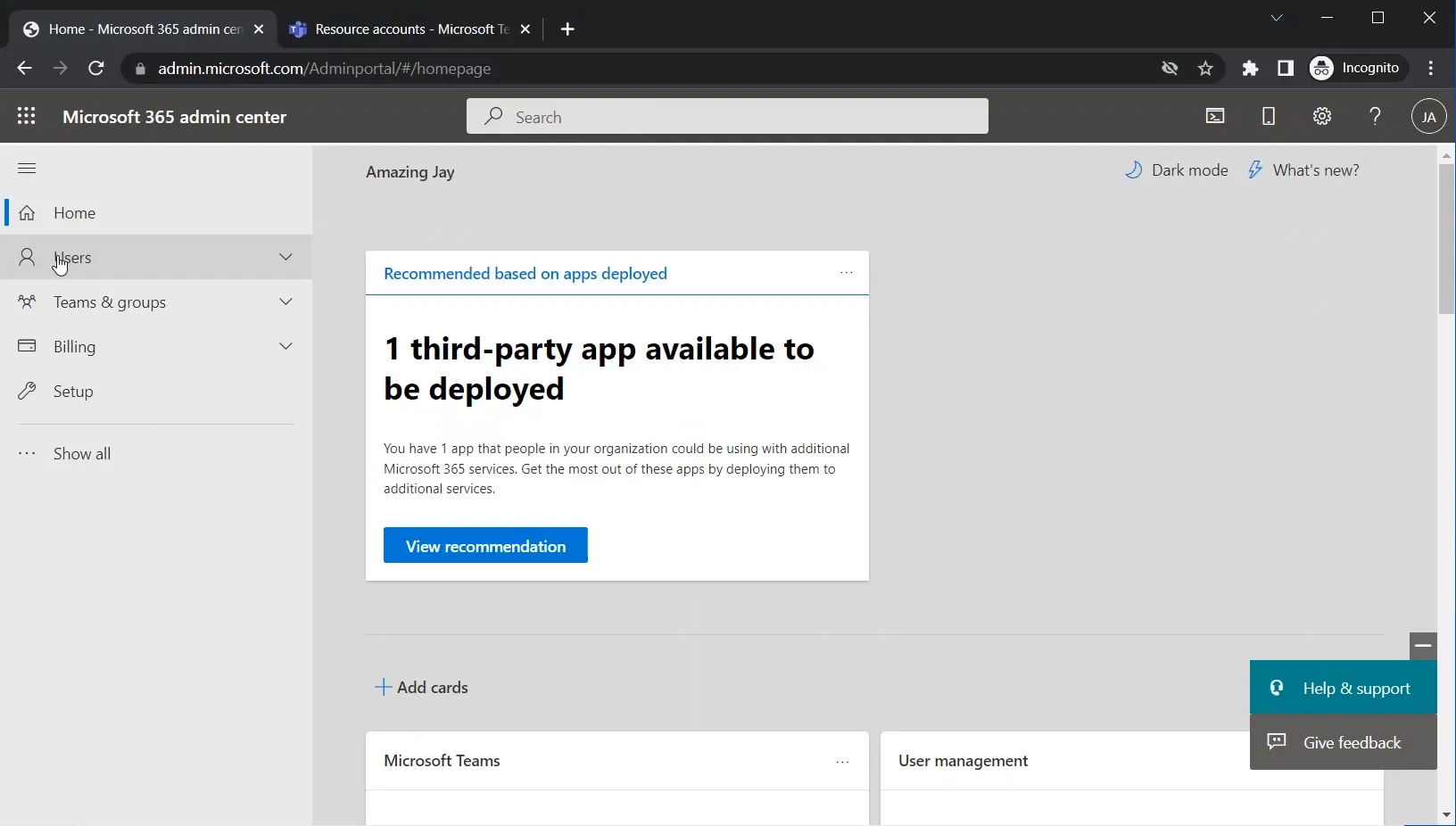
Expand “Users”
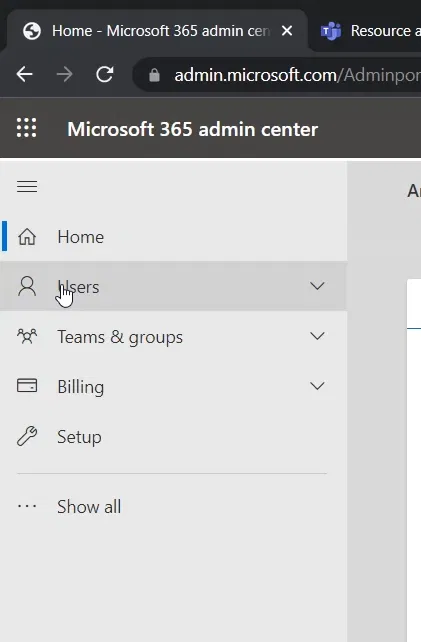
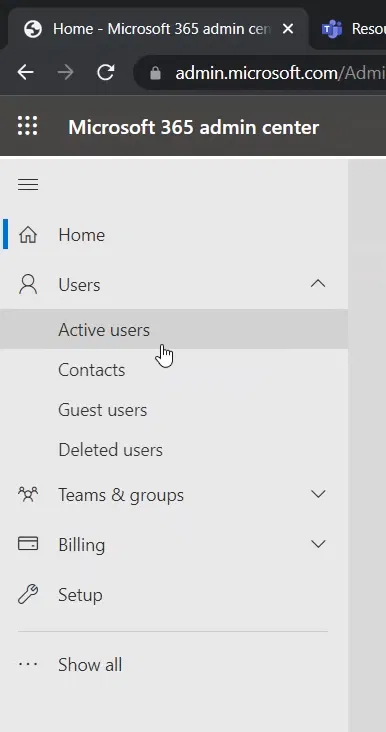
Select “Active users”
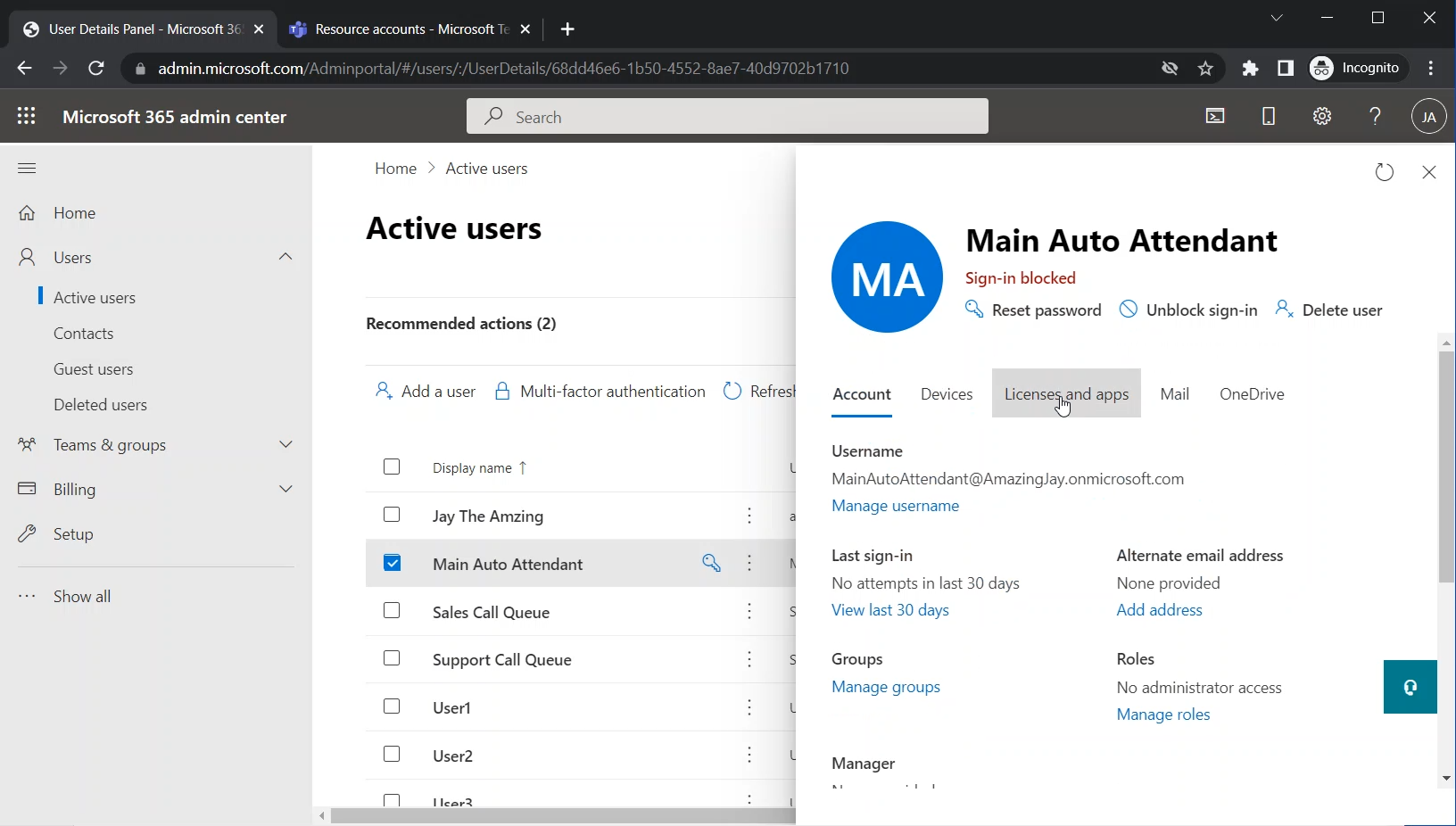
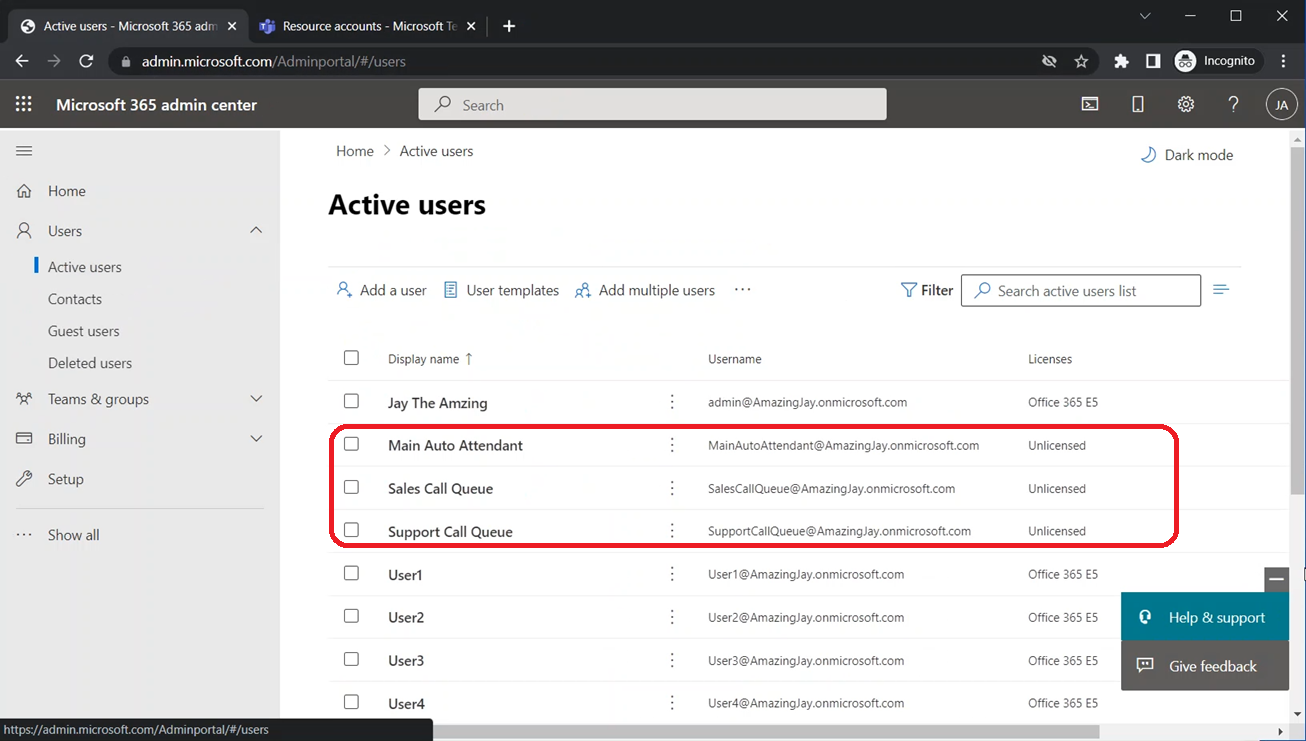
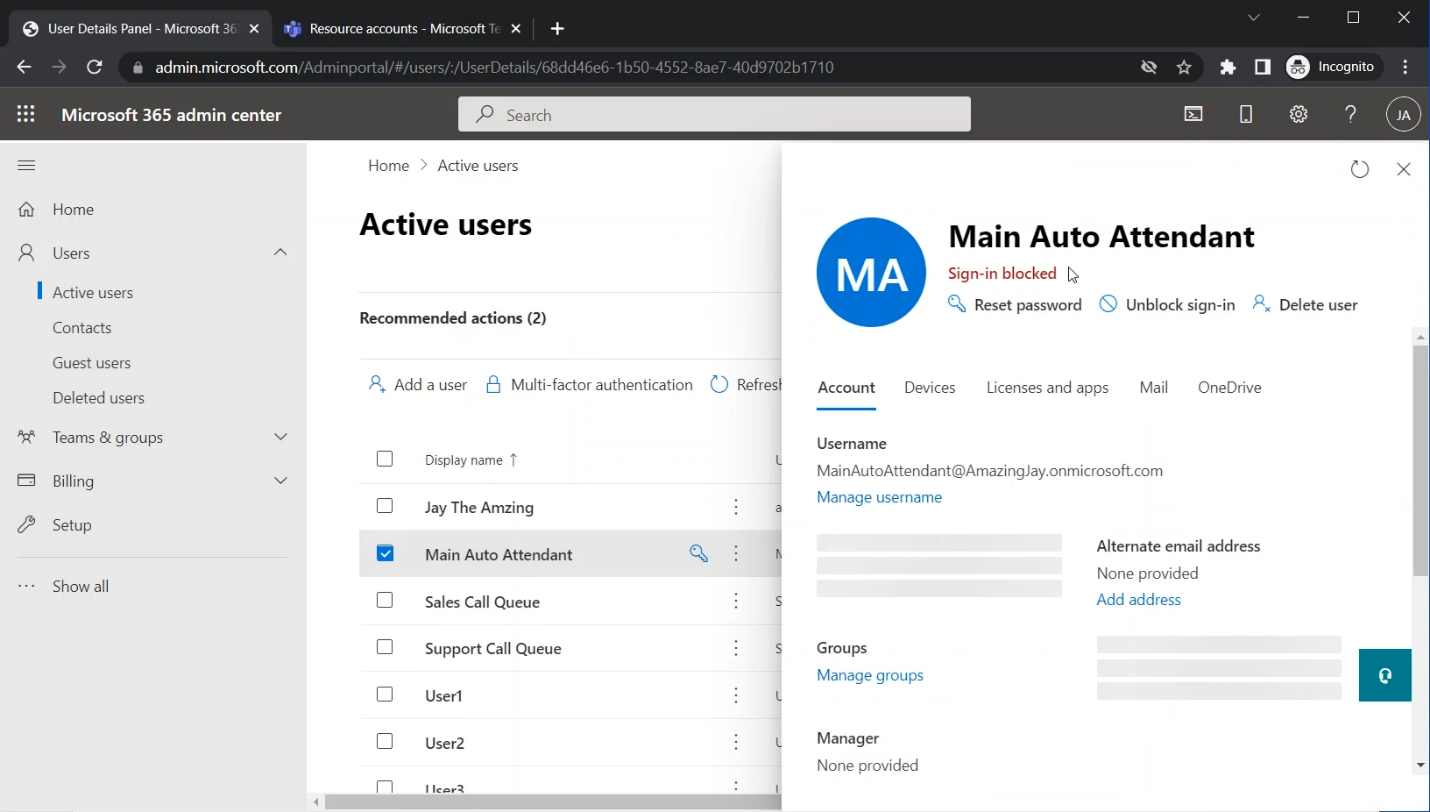
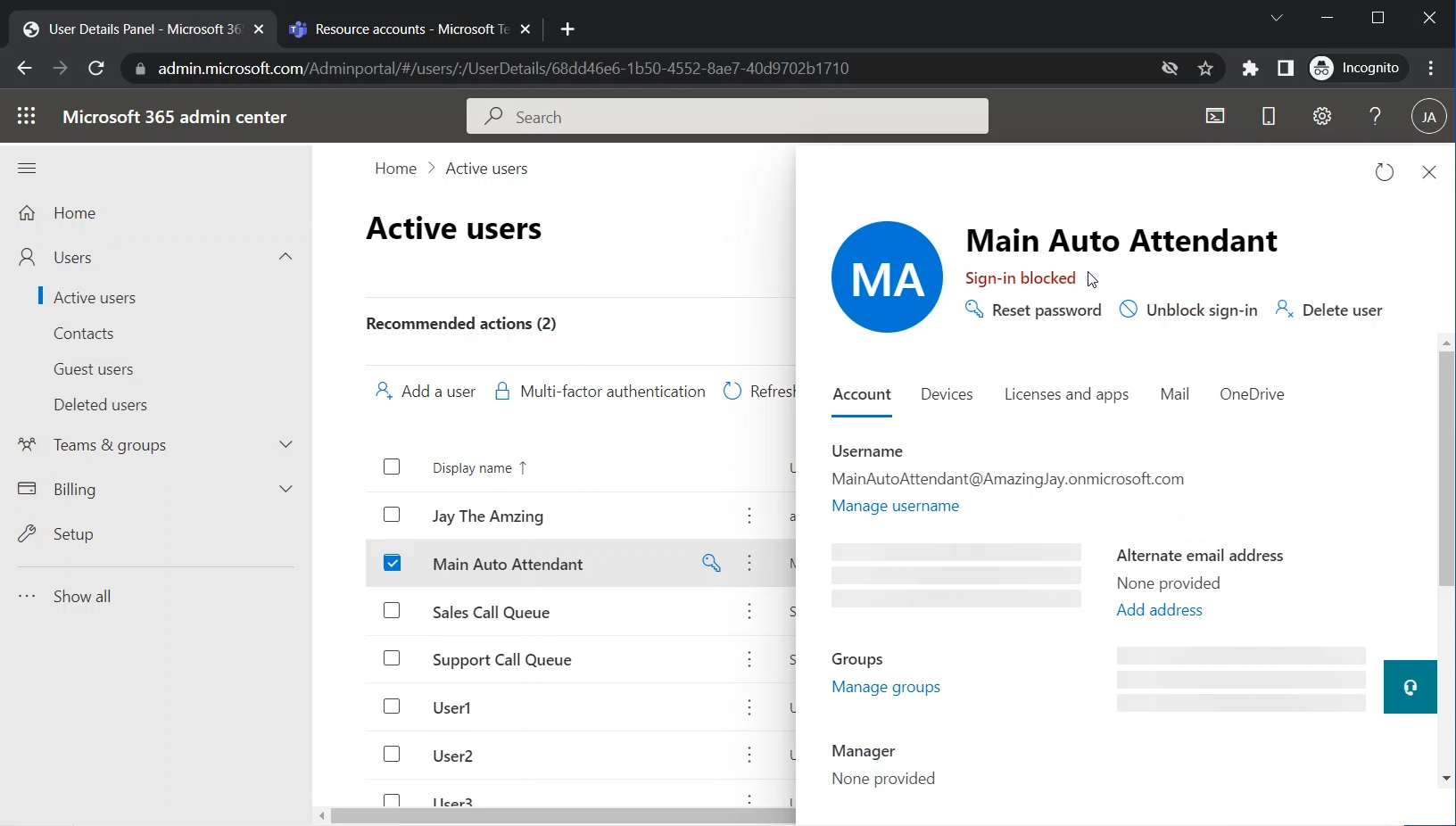
You will find the resource accounts that you have created in the “Teams Admin Center” listed here with the rest of the users. You might need to search the account under “Filter”
Click on the resource account
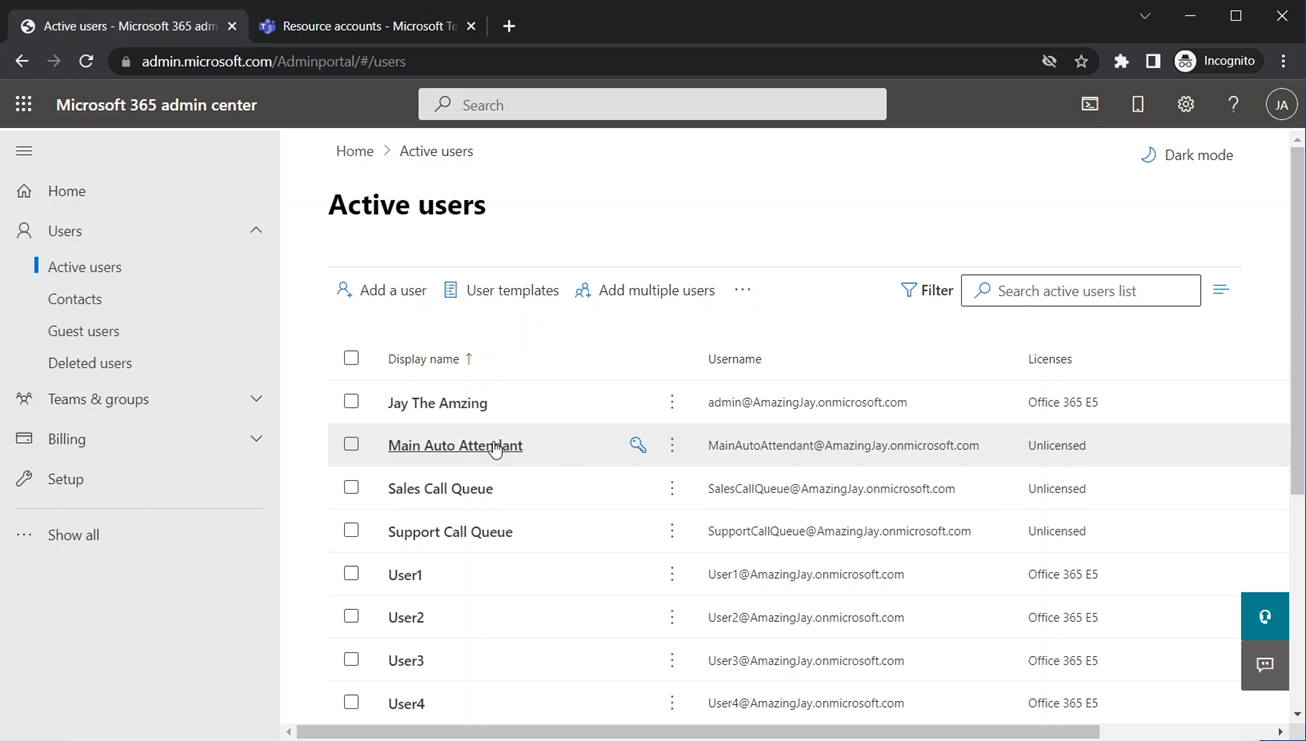
The pane that shows the detail pane of the account will appear on the right side
A screenshot of a computer

Description automatically generated

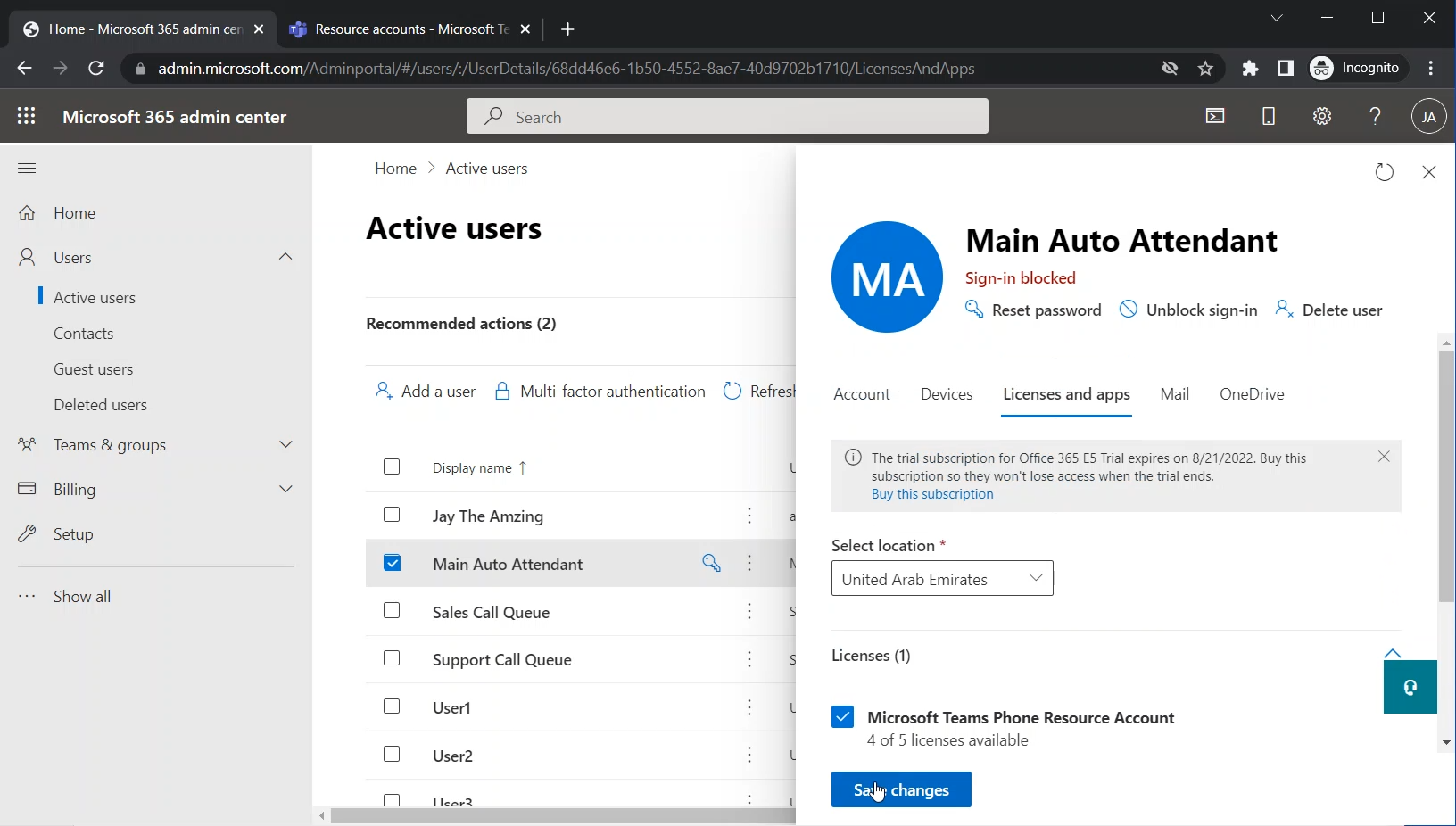
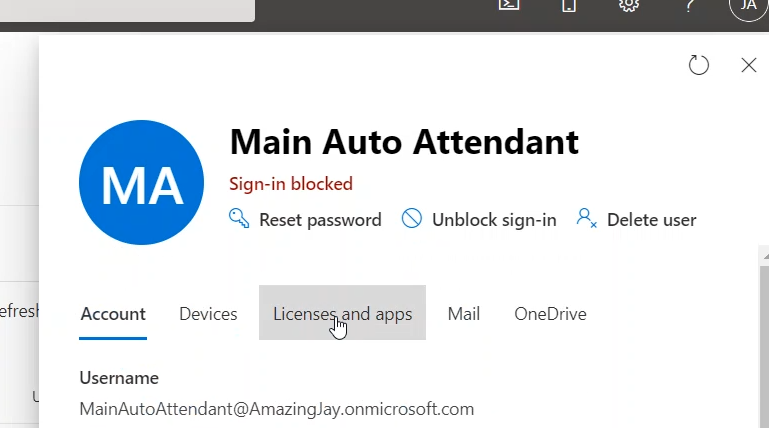
Click on the “License and apps” tab
The list of the licenses will be shown. Among these licenses, you will see the “Microsoft Teams Phone Resource Account” license (which we acquired in a previous step in this series)
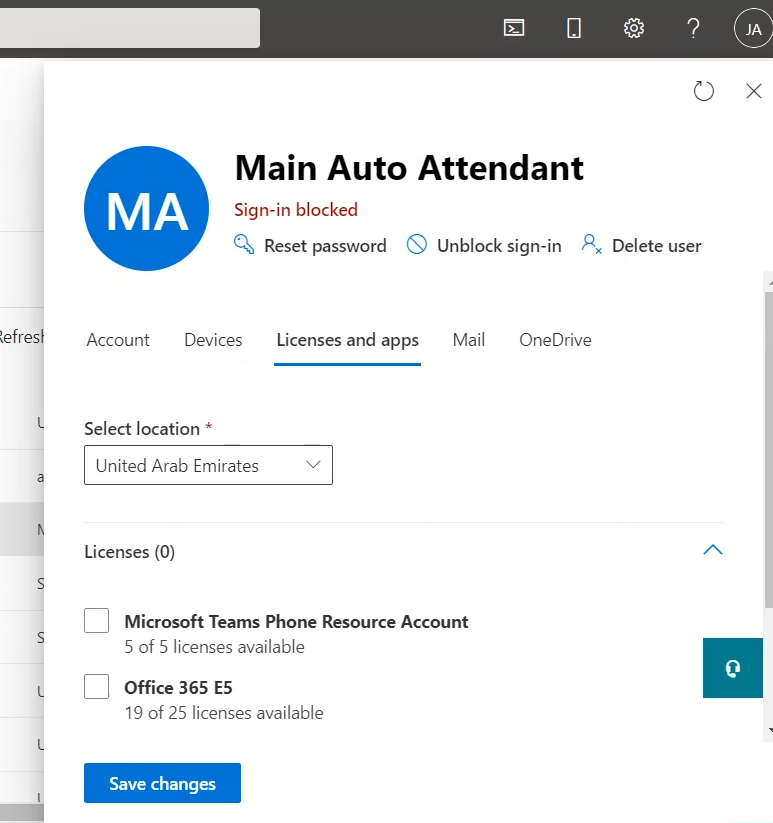
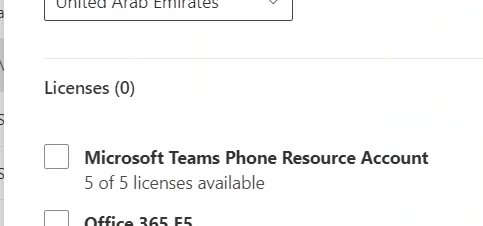
Select the “Microsoft Teams Phone Resource Account”
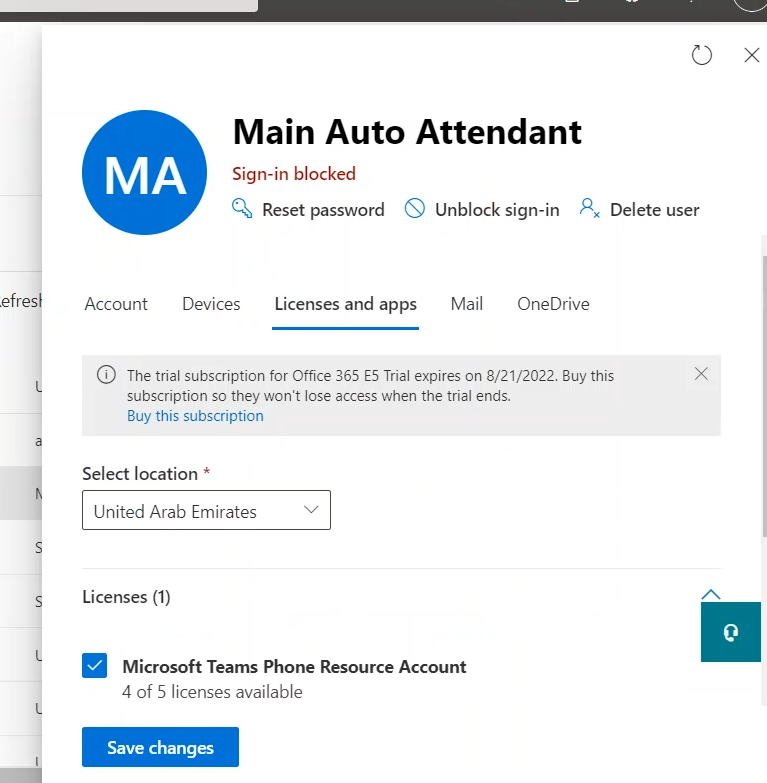
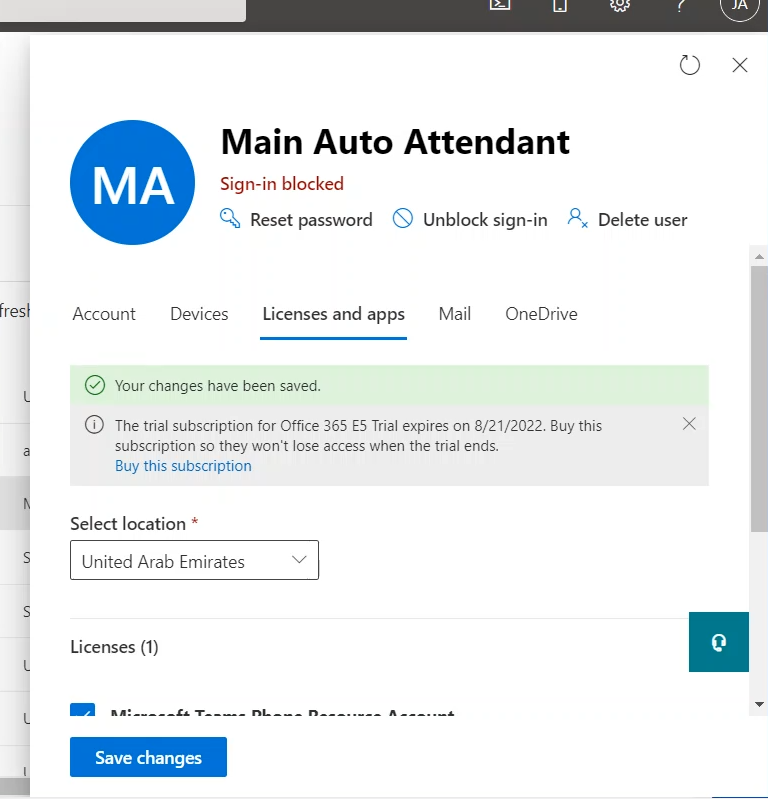
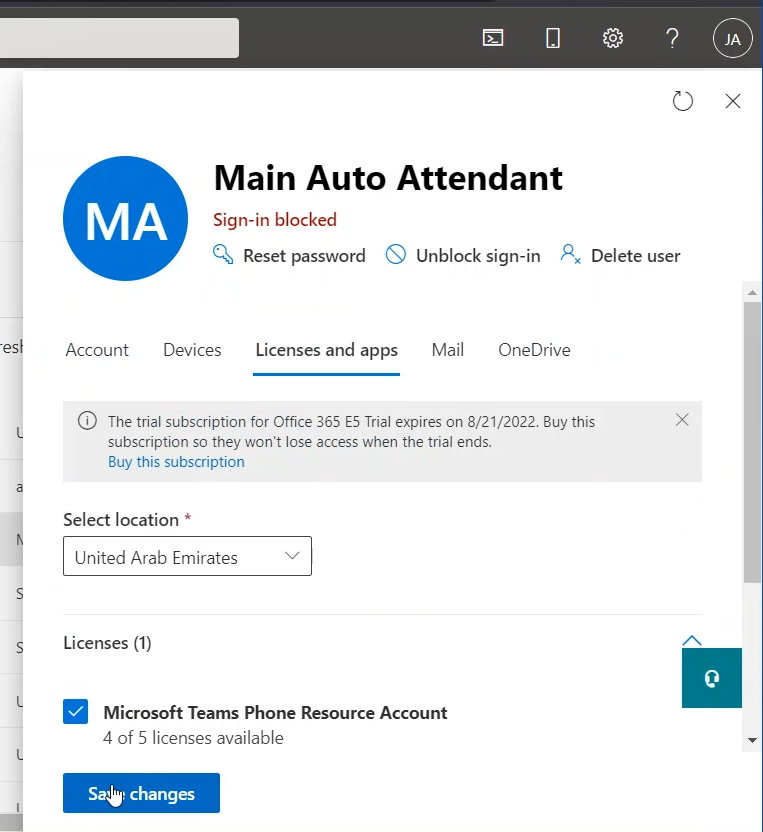
Click on “Save changes”
Post navigation
← Previous Post
Next Post →

Recent Posts

  • Checking SIP Messages to Verify the Local Media Optimization Between Teams Client and SBC
  • Configuring Direct Routing Local Media Optimization for Single-Site and Single SBC (Using Teams Admin Center)
  • Teams’ Call Queues and Auto Attendants – Testing Using Teams Client
  • Teams’ Call Queues and Auto Attendants – Allowing an Auto Attendant to Call an External Number (PSTN Number)
  • Teams’ Call Queues and Auto Attendants – Adding an operator to the Auto Attendant

Recent Comments

No comments to show.

Archives

  • August 2024
  • July 2024
  • September 2023
  • August 2023
  • January 2023
  • December 2022
  • November 2022
  • September 2022
  • July 2022
  • April 2022
  • March 2022
  • January 2022
  • July 2021
  • June 2021
  • May 2021
  • March 2021
  • January 2019
  • December 2018
  • May 2018

Categories

  • Access Control List (ACL)
  • Auto Attendants
  • Azure SWe Lite
  • Call Queue
  • Call Queues and Auto Attendants
  • Direct Routing
  • Direct Routing
  • E2EE
  • End-to-end encryption
  • Enterprise Voice
  • G.711
  • G.729
  • Hybrid Setup
  • Local Media Optimization
  • Media
  • Media Bypass
  • Operator
  • Ribbon
  • SBC
  • SBC 1000
  • SBC 2000
  • SBC Edge
  • Skype for Business
  • Skype for Business Control Panel
  • Step by Step
  • SWe Lite
  • Teams
  • Teams Client
  • Teams Mobile Client
  • Teams Walkie Talkie
  • Uncategorized
Copyright © 2026 Jay's Lab | Powered by Astra WordPress Theme