Error While Trying to Move A User to Teams Saying That the User Has Not Been Assigned “Audio Confronting License”
I have tried to move a user from Skype for Business to MS Teams using the Control Panel of Skype for Business. But I got the error shown in the image below
I expanded the message to see the full text of the error

The error is saying:
Move-Csuser :: HostedMisrat ion fault: Error=(511), Description=(The user could not be moved because he or she is enabled for dial-in conferencing on-premises, but has not been an assigned an Audio Conferencing license in Office 365. Users must be licensed before they can be moved to Teams or Skype for Business Online).
This indicates that the user dial-in conferencing on Skype for Business while the user on Office 365 has no Audio Conferencing licensing assigned to it
Solution
The text of the error is saying that you can use the “BypassAudioConferencingCheck” switch
Since I want to use the Control Panel user interface instead of trying the “BypassAudioConferencingCheck” switch using PowerShell
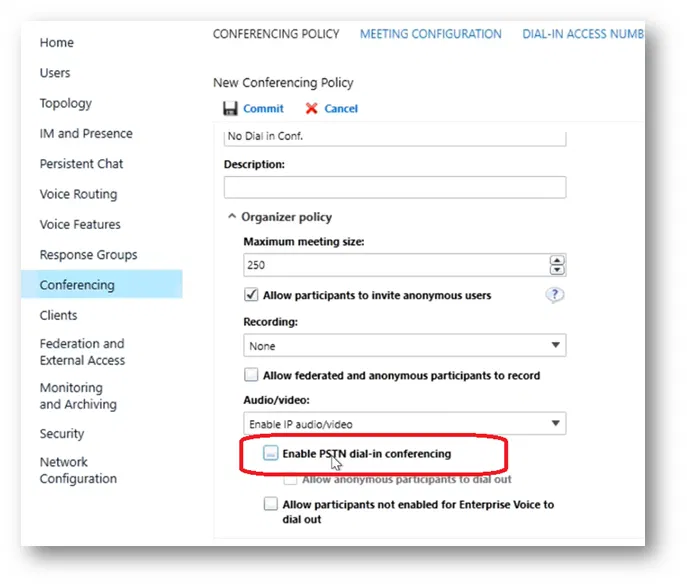
I have created a new Conferencing Policy and cleared the check box “Enable PSTN dial-in conferencing”
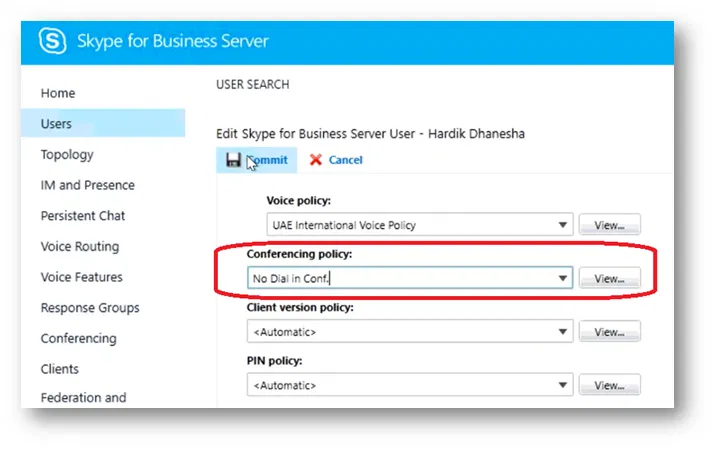
After that, I assigned the new conferencing policy to the user
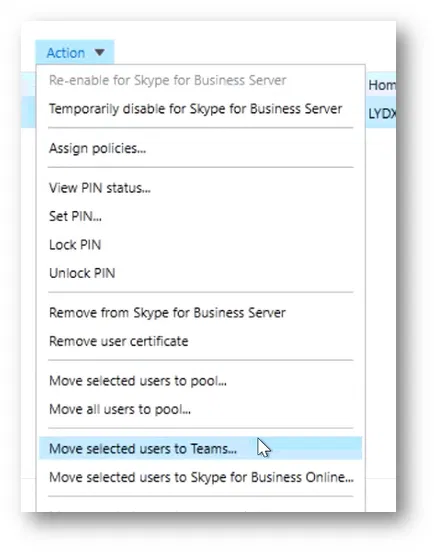
Then, I tired to move the user.
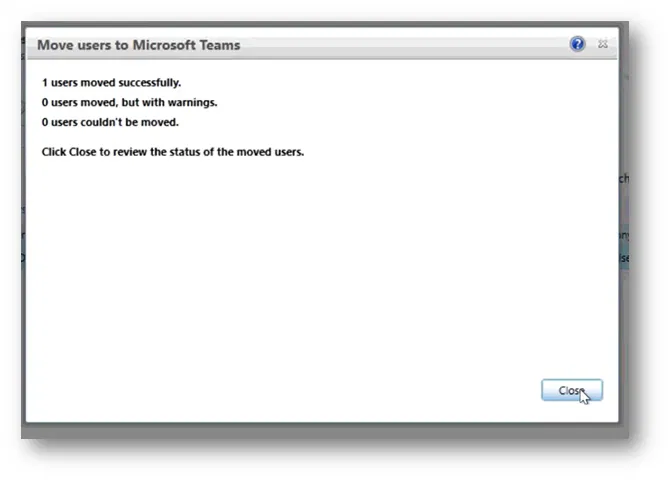
The user successfully moved to MS Teams.