
SIP/2.0 488 Not Acceptable Here – Warning: 304 sbc1.example.com “Media type not available” (adding additional codec/media profile on Ribbon SBC Edge (SBC 1000 / SBC 2000 / SBC SWe Lite))
With one of our clients, we are integrating an SBC 1000 with Direct Routing and a SIP Trunk (the SIP Trunk provides PSTN connectivity and is connected to the telephone company).
The issue we faced was that incoming calls were failing
After checking the logs, we found out that the calls are being rejected with “SIP/2.0 488 Not Acceptable Here” and also, a warning saying that “Media type not available”. This indicates that there is a possible problem with the codecs.
(For convenience, I am providing both an image containing the logs and also the text of the logs)
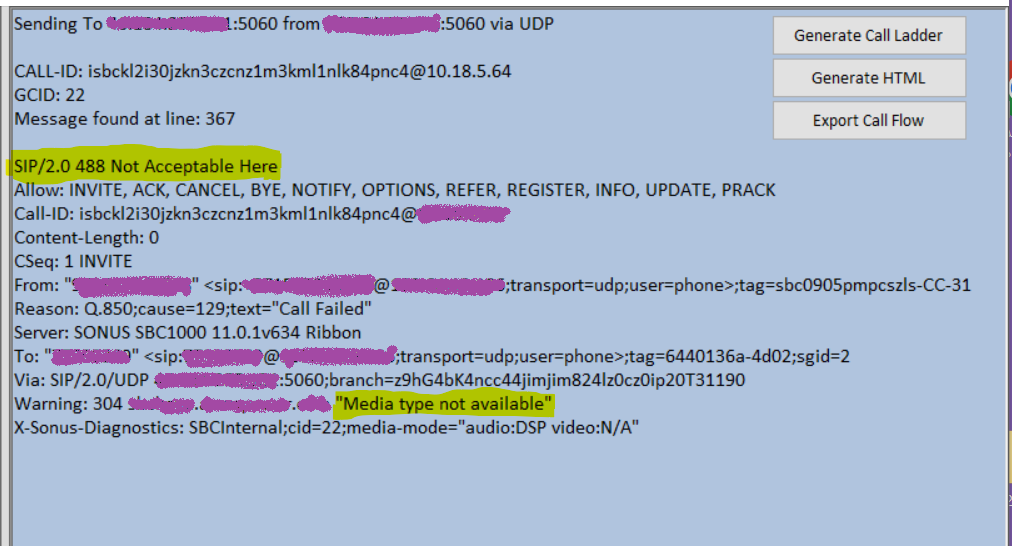
SIP/2.0 488 Not Acceptable Here
Allow: INVITE, ACK, CANCEL, BYE, NOTIFY, OPTIONS, REFER, REGISTER, INFO, UPDATE, PRACK
Call-ID: isbckl2i30jzkn3czcnz1m3kml1nlk84pnc4@X.X.X.X
Content-Length: 0
CSeq: 1 INVITE
From: “XXXXXXXXXXXX” <sip:+ XXXXXXXXXXXX@X.X.X.X;transport=udp;user=phone>;tag=sbc0905pmpcszls-CC-31
Reason: Q.850;cause=129;text=”Call Failed”
Server: SONUS SBC1000 11.0.1v634 Ribbon
To: “XXXXXXXXXXXX” <sip: XXXXXXXXXXXX@X.X.X.X;transport=udp;user=phone>;tag=6440136a-4d02;sgid=2
Via: SIP/2.0/UDP X.X.X.X:5060;branch=z9hG4bK4ncc44jimjim824lz0cz0ip20T31190
Warning: 304 sbc1.example.com “Media type not available”
X-Sonus-Diagnostics: SBCInternal;cid=22;media-mode=”audio:DSP video:N/A”
G.729 Codec Is Needed
We also found out inside the invite message that SIP Trunk of the telephone company is using codecs G.729 as shown below. (Easy Config Wizard of the SBC configure only G. 711)
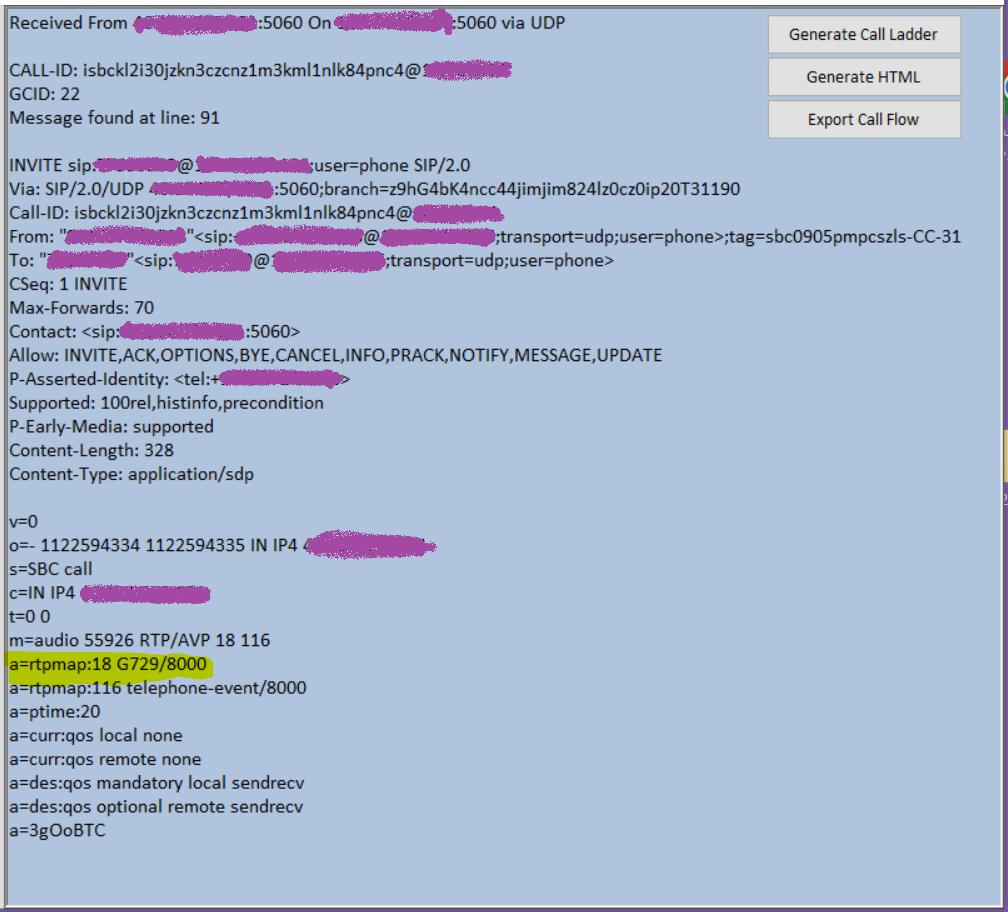
INVITE sip: XXXXXXXXXXXX@X.X.X.X;user=phone SIP/2.0
Via: SIP/2.0/UDP X.X.X.X:5060;branch=z9hG4bK4ncc44jimjim824lz0cz0ip20T31190
Call-ID: isbckl2i30jzkn3czcnz1m3kml1nlk84pnc4@X.X.X.X
From: “XXXXXXXXXXXX”<sip:+ XXXXXXXXXXXX@X.X.X.X;transport=udp;user=phone>;tag=sbc0905pmpcszls-CC-31
To: “XXXXXXXXXXXX”<sip: XXXXXXXXXXXX@X.X.X.X;transport=udp;user=phone>
CSeq: 1 INVITE
Max-Forwards: 70
Contact: <sip: X.X.X.X:5060>
Allow: INVITE,ACK,OPTIONS,BYE,CANCEL,INFO,PRACK,NOTIFY,MESSAGE,UPDATE
P-Asserted-Identity: <tel:+ XXXXXXXXXXXX>
Supported: 100rel,histinfo,precondition
P-Early-Media: supported
Content-Length: 328
Content-Type: application/sdp
v=0
o=- 1122594334 1122594335 IN IP4 X.X.X.X
s=SBC call
c=IN IP4 X.X.X.X
t=0 0
m=audio 55926 RTP/AVP 18 116
a=rtpmap:18 G729/8000
a=rtpmap:116 telephone-event/8000
a=ptime:20
a=curr:qos local none
a=curr:qos remote none
a=des:qos mandatory local sendrecv
a=des:qos optional remot
X.X.X.X:60238 <==> <134>[2022-12-29 17:01:24,566] 5667 001d
e sendrecv
a=3gOoBTC
Adding G.729 Codec to Media List
Notes: These steps were done on SBC 1000. They are valid for all of Ribbon SBC Edge (SBC 1000 / SBC 2000 / SBC SWe Lite)
The list of codecs being used was configured by the Easy Config Wizard and it didn’t include G.729. The image below shows the details of the media list used. Somethingsfsdfsdf

So, I clicked on Add/Edit button and added G.729 to the media list


And moved G.729 to up to make it the first
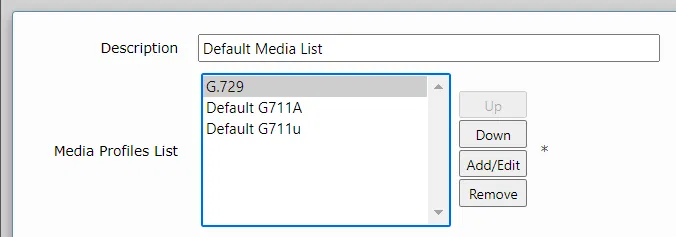
(I kept both G711 a-law and μ-law but with less priority)
And I clicked on the “Apply” button
After that, the incoming calls wear reaching Teams Direct Routing users successfully (calls were ringing, connected and voice is heard)
How To Find the Media List Being Used
For simplicity, in the upper steps, I showed how to change the media list. To know which Media List is used you need to check the route from SIP Trunk to Teams Direct Routing as shown below
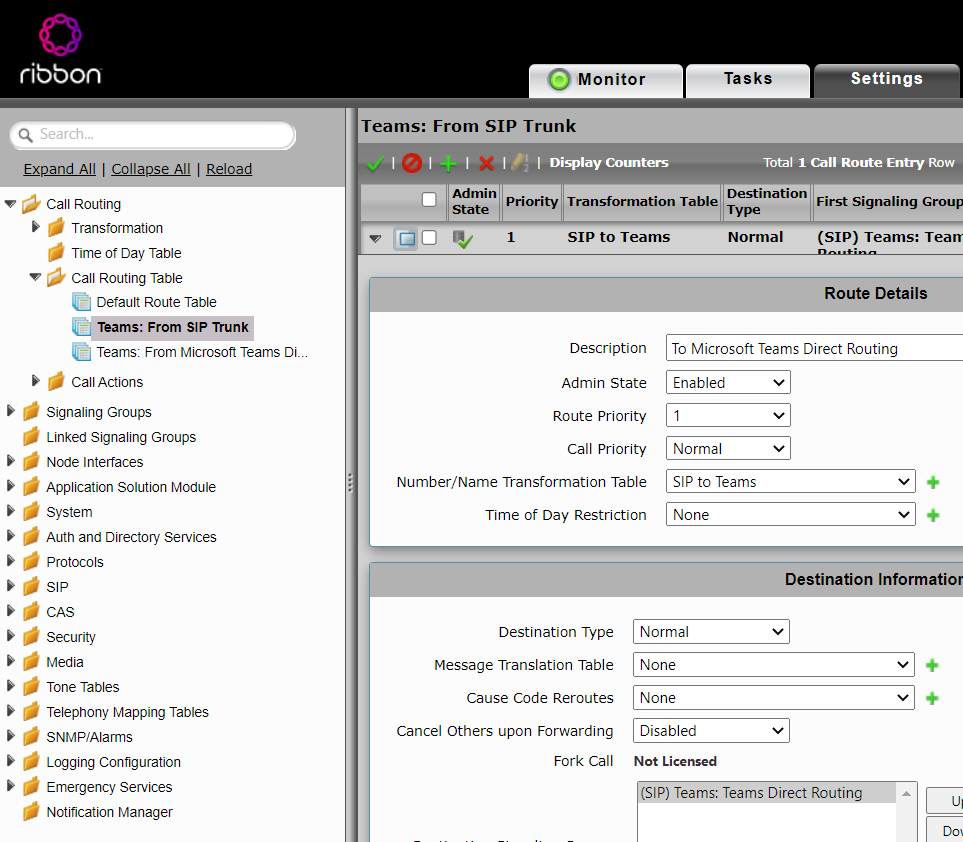
Scroll down to find the Media List being used:
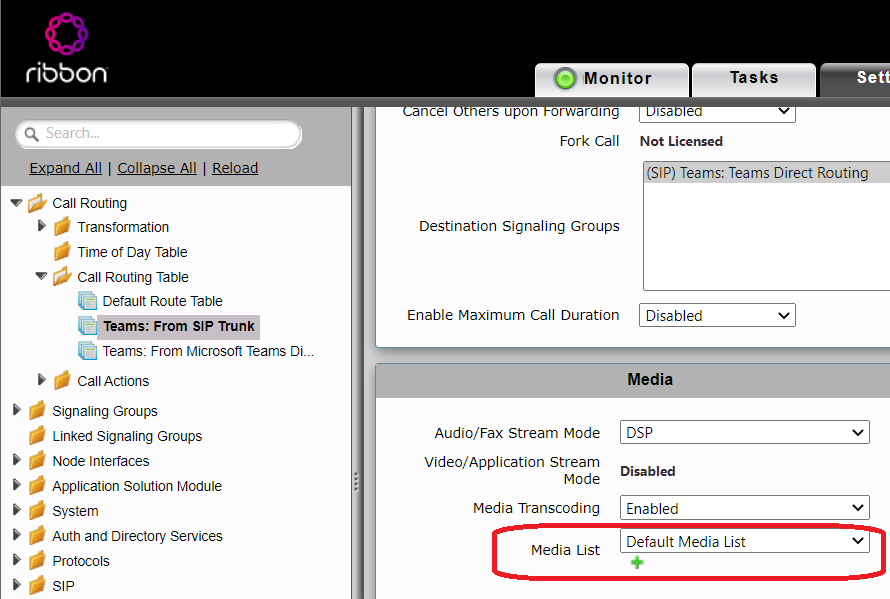
Then, you can modify this media list as explained in the steps above.


