
You need to select the correct “host name” and “domain name” that you will be using in your DNS A record (also will be used in the name of the certificate of the SBC. Remember that the domain name part should be a domain that is added to Microsoft 365 tenant.
If you want to change the host name of the SBC, it is better to do that before running the “Easy Config Wizard”. That is because the wizard will create some components that use that name in their config.
For me, I have selected a temporary “host name” and “domain name” during the creation of the SBC earlier. So, I must change them before running the wizard.
Below are the steps to change the “host name” and “domain name”
On the “Setting” tab of the Web Interface of the SBC, go to System > Node-Level Setting
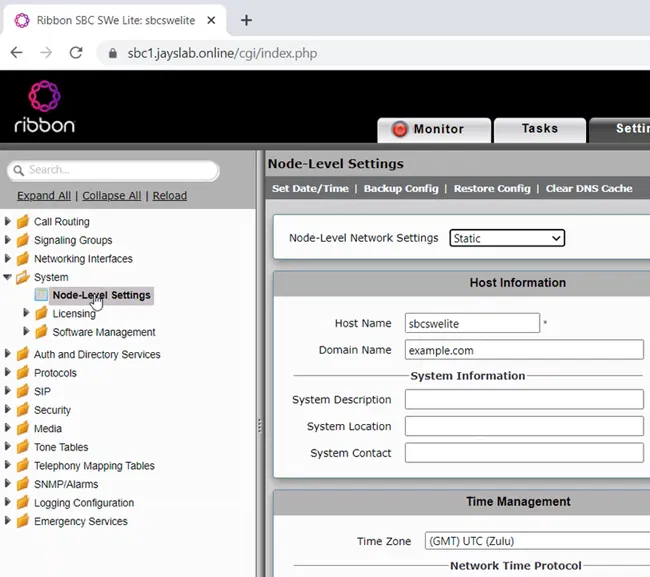
Under “Host Information”, you will see the current “Host Name” and “Domain Name” of the SBC

Change the “Host Name” and “Domain Name”

Click on the “Apply” button

Note:
It is better to restart the SBC after changing the “host name” and/or “domain name”